
Scan it. Sign it. Send it as a PDF.
Document Scanner Pro is an all-in-one document scanner and PDF toolkit for iPhone. Most tools are free, and your documents stay on your phone.
What the app does
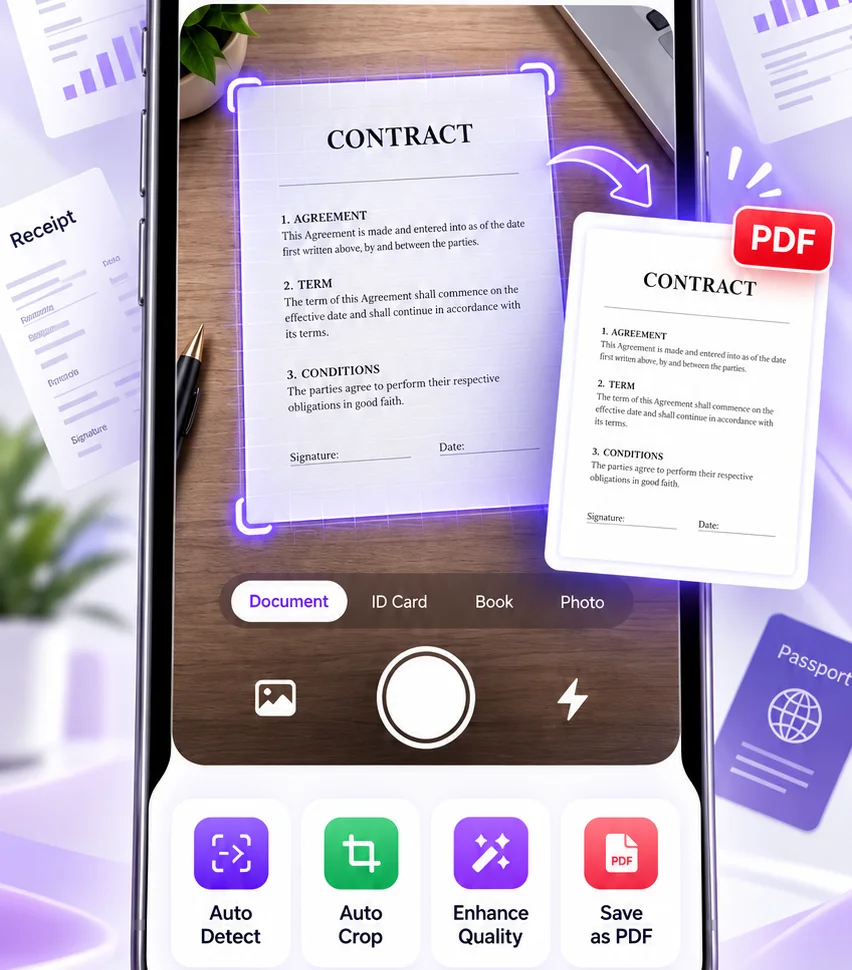
Scan documents to PDF
Point the camera at a page. The app finds the edges, crops it, cleans up the image, and saves a PDF or JPG you can share. Scanning and sharing are free, with no watermark.
- Auto Detect
- Auto Crop
- Enhance Quality
- Save as PDF
- GPS CameraPro
Turn photos into PDFs
Pick photos from your library, put the pages in order, and export one tidy PDF. It is free, and so is sharing it.
- Import Photos
- Arrange Pages
- Export to PDF
Sign and edit PDFs
Sign a document without printing it. Your first signed document is free. Adding text, shapes, images, and drawings is Pro.
- SignFirst free
- Fill FormFirst free
- Add TextPro
- DrawPro
Pull the text out of a scan
OCR reads the words on a page on your phone. You can always read the result, and your first copy or export is free. After that, text recognition is Pro.
- Read Text
- Copy TextFirst free
- Searchable PDFFirst free
- TranslatePro
Scan IDs and receipts
Cards, bills, and receipts get their own scan mode, with edges found and colors cleaned up for you. Scanning an ID is free. Reading the figures off a receipt is a Pro tool that runs online.
- ID Card
- Auto Crop
- Enhance Colors
- Read ReceiptsPro
Merge, split, and compress
Combine files into one PDF, pull out the pages you need, or shrink a large file to fit an email. Your first 5 merges are free.
- Merge PDFsFirst 5 free
- Rearrange Pages
- Split PDFPro
- Compress PDFPro
Scan many pages into one PDF
Scan page after page, drag them into order, and combine everything into a single PDF. There is no page limit.
- Batch Scan
- Reorder Pages
- Combine into PDF
Save, organize, and share
Keep scans in folders, search across them by name, and send a PDF to anyone. Locking a PDF with a password is Pro.
- New Folder
- Search
- Share
- Export PDF
- Password LockPro
Most of it is free
Scanning, saving, and sharing are free for good, with no watermark, no page limit, and no ads. A few tools are free to try. The rest are Pro, and every plan starts with 3 days free.
- Yearly$39.99 a year
- Monthly$9.99 a month
- Weekly$3.99 a week
After the free days, Pro renews on its own until you cancel. You can cancel at any time in your Apple Account.
Free, always
- Scan, save, and share
- Free
- ID cards and QR codes
- Free
- Folders and search
- Free
- App lock with Face ID
- Free
Free to try
- Merge PDFs
- First 5 free
- Sign and fill forms
- First one free
- Copy text with OCR
- First one free
Pro
- Split and compress
- Pro
- Add text, shapes, images
- Pro
- Redact and blur
- Pro
- Translate
- Pro
- Convert Office files
- Pro
- Read receipts
- Pro
- GPS camera, password lock
- Pro
Converting Office files and reading receipts run online, with daily limits. Subscriptions are managed through your Apple Account.
Your documents stay on your phone
You do not need an account to scan or to buy Pro. Here is where everything lives, and what Sanibha can see.
On your phone
Your scans, PDFs, folders, saved signatures, and the text read from your scans. Your app lock settings stay there too.
In your iCloud, if you turn on backup
An encrypted copy in a private space that only your Apple Account can reach. Sanibha does not have the key.
What Sanibha sees
- Anonymous usage counts, like “a scan was saved”
- Crash reports
- Your subscription status
- Emails you send us, including the waitlist
Questions
Is Document Scanner Pro available yet?
Not yet. It is coming soon to iPhone. Add your email above and we will tell you when it is out.
Is it free?
Scanning, saving, and sharing are free for good, with no watermark, page limit, or ads. Merging, signing, and copying text are free to try: your first 5 merges, your first signed document, and your first text copy. Everything else is Pro. Pro starts with 3 days free, then costs $3.99 a week, $9.99 a month, or $39.99 a year.
Do my documents leave my phone?
Your documents are not sent to Sanibha. Scans, PDFs, signatures, and the text read from them stay on your phone. If you turn on the optional backup, an encrypted copy goes to your own iCloud, and Sanibha does not have the key. Anything you export or share goes where you send it. The one exception is the Pro online tools, which send the single file you choose to a service that converts it or reads the receipt.
Do I need an account?
No. You do not need an account to scan, sign, or buy Pro. You sign in only to use the online tools, which are part of Pro.
What does Sanibha collect?
Anonymous usage counts, crash reports, your subscription status, and any emails you send us. The privacy page explains each one.
Which devices does it run on?
It is built for iPhone.
How do I ask for my data to be deleted?
Write to support@sanibha.com. Your documents are on your phone, so deleting them there removes them.
What happens to my email on the waitlist?
We use it to tell you when the app is out.
Who makes it?
Sanibha Private Limited.
Be the first to scan.
Leave your email and we will tell you the day Document Scanner Pro is out.